How to Login to Presta
Click on the link below
Presta Login
Presta Login
1. Enter the account name/ tenant ID. For example, Presta Capital or t10007 and click on Continue.
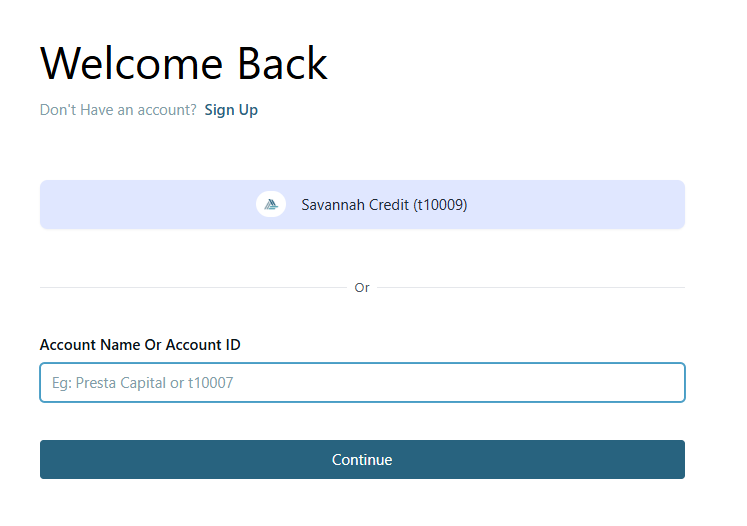
2. Enter the user name and password and click on Sign in.
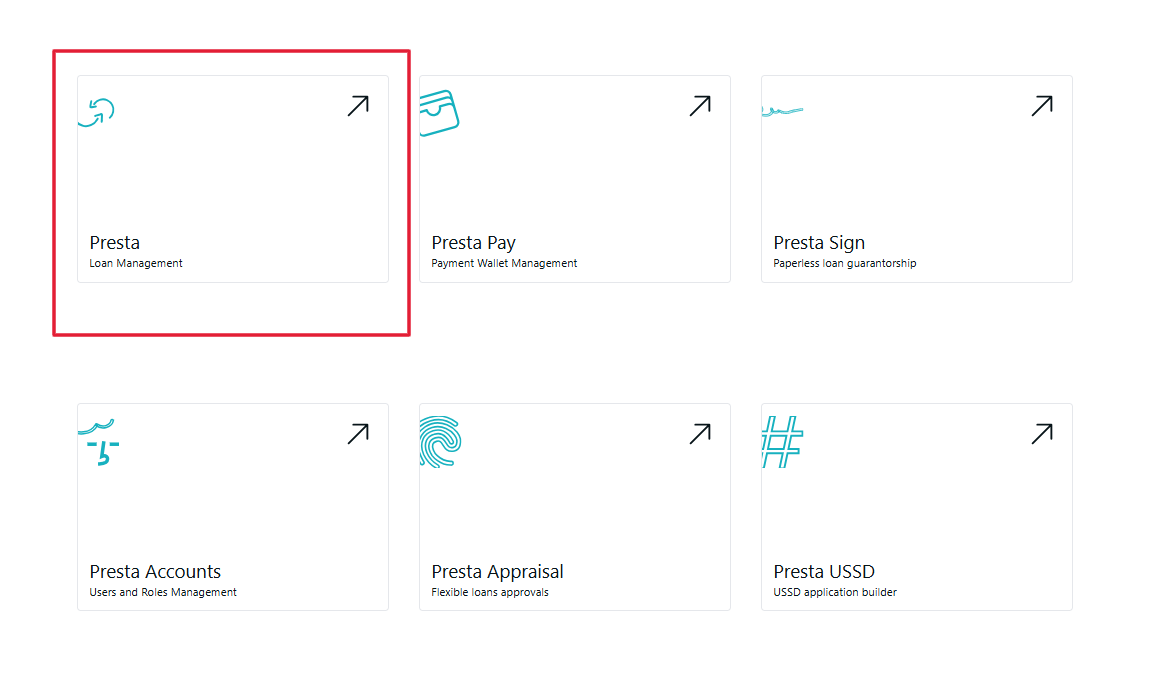
3. Click on Presta Loan Management to access the LMS
Related Articles
Disabling unique names in Zoho Books
Disabling unique names in Zoho Books Login to Zoho Books here. On the top navigation bar click on the icon. On the page that opens, scroll down to Module settings: On General, click on Customers and Vendors. On the General Tab, uncheck the ‘Allow ...Creating Unique customer id field
Creating LMSContactID field in zoho Login to Zoho Books here. On the top navigation bar click on the icon. On the page that opens, scroll down to Module settings: On General, click on Customers and Vendors. Go to the field customization tab. Click on ...Creating LMSTransactionID in Zoho
Creating LMSTransactionID field in zoho Login to Zoho Books here. On the top navigation bar click on the icon. On the page that opens, scroll down to Module settings: On General, click on Accountant Go to the Journal Custom fields tab. Click on the ...