Creating LMSTransactionID in Zoho
-
Login to Zoho Books here. - On the top navigation bar click on the
 icon.
icon.

- On the page that opens, scroll down to Module settings:
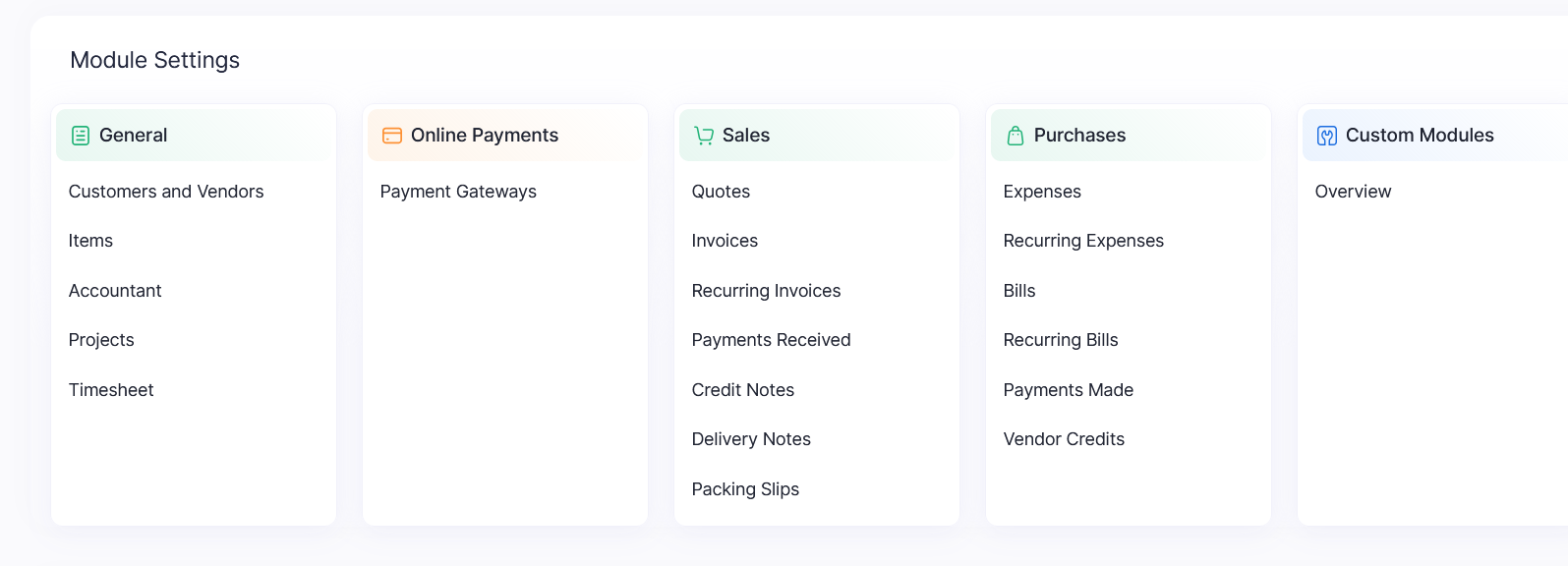
- On General, click on Accountant
- Go to the Journal Custom fields tab.
-
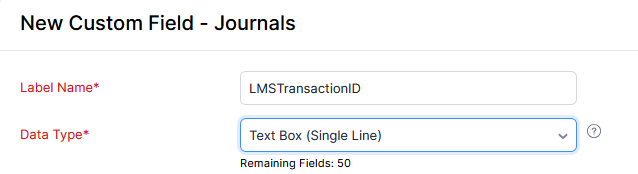
Click on the New custom field button 
- On the label name field, type/paste LMSTransactionID
- On the Data Type field, select Text Box (Single line).
- More fields will show up. Go to Prevent Duplicate Values and check on Yes.
- Scroll down and click on save:
- Go back to the LMS application and click on validate.
Related Articles
Creating Unique customer id field
Creating LMSContactID field in zoho Login to Zoho Books here. On the top navigation bar click on the icon. On the page that opens, scroll down to Module settings: On General, click on Customers and Vendors. Go to the field customization tab. Click on ...
Disabling unique names in Zoho Books
Disabling unique names in Zoho Books Login to Zoho Books here. On the top navigation bar click on the icon. On the page that opens, scroll down to Module settings: On General, click on Customers and Vendors. On the General Tab, uncheck the ‘Allow ...
Loan Options
Once a loan application is complete, the below option are present. Topup Loan -> This where one can Topup a loan. This basically creates a new loan with the principal equal to the sum of the disbursement amount of the new loan and the outstanding ...